With a subtitled YouTube video you enjoy, LeMingle highlights useful expressions as you watch. Hover for meanings in context, then save what matters for review, then loop a line and shadow it—so the language you hear can gradually become language you use.
Works on Chrome / Edge · Free tier: 30 credits/month, full features · See how it works ↓
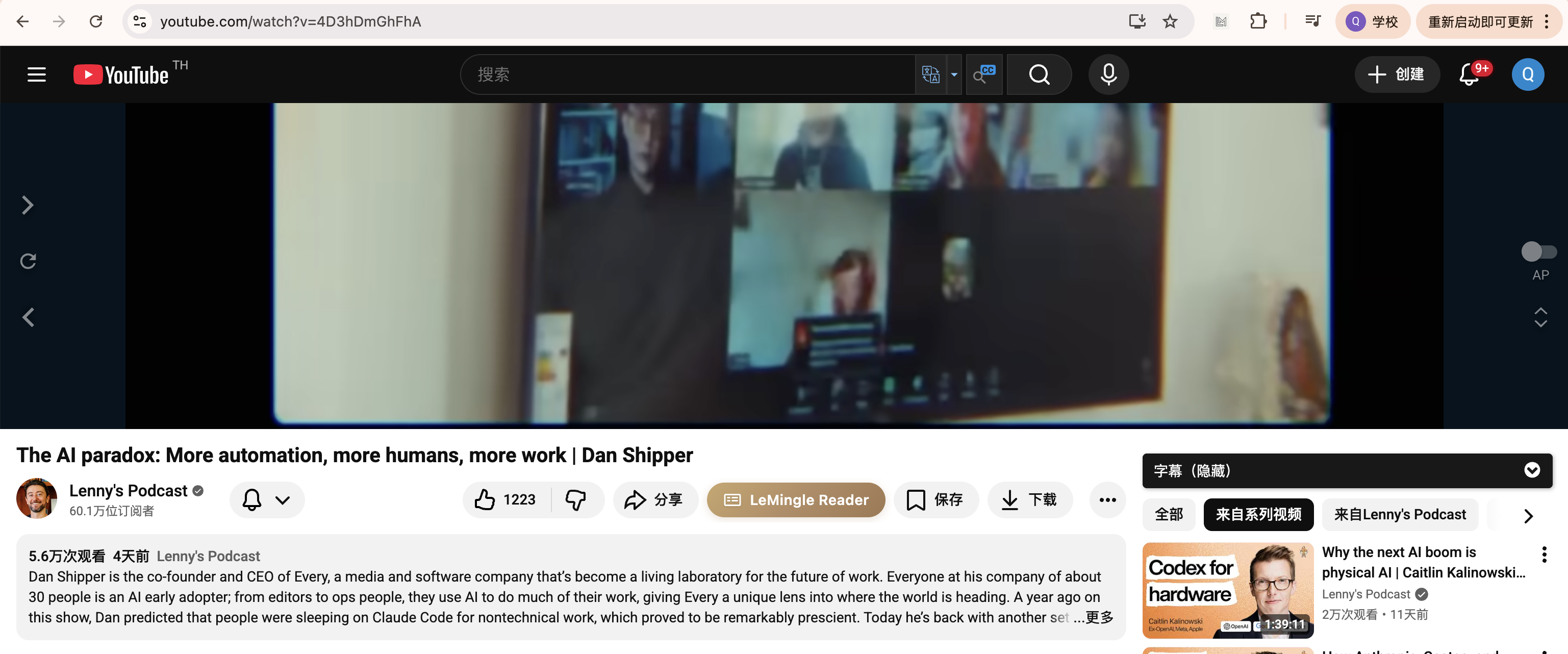
No need to leave YouTube—click one button in the player to turn the current video into a learning interface.
1In the toolbar under the video, click the yellow LeMingle Reader button
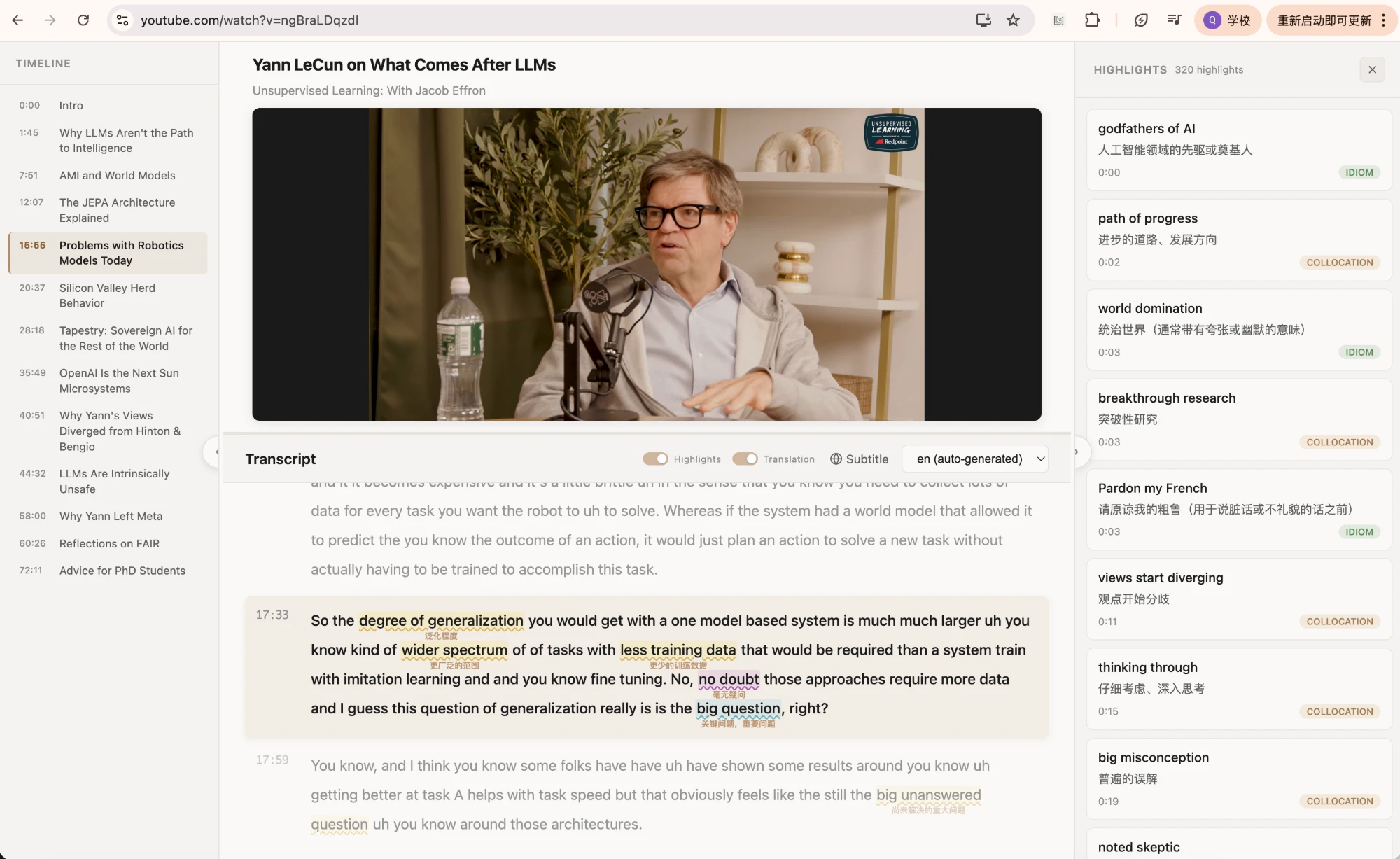
2Once inside, this is the learning interface, with the 4 spots you'll use most marked:
1
2
3
4
That perfectly native line is barely on screen before the next one arrives—no time to absorb it.
Pause, open a dictionary, look it up, come back—the moment your flow breaks, the word is gone.
The screen is full of English—but which lines do natives actually use? You can't tell by feel.
It reads YouTube's official subtitles and underlines what's worth learning—idiomatic phrases, high-frequency collocations, and logical connectors—color-coded so you see at a glance which line sounds native.
The line being spoken or sung is centered and enlarged, following along like karaoke lyrics—stay focused in interviews and chew through song lyrics line by line.
See a sentence you want to practice? Loop that single line, listen on repeat, and read along. Turn "watching a video" into listening and speaking shadowing practice.
Hover any highlighted word for TTS pronunciation and a context-aware definition; like it, save it to your wordbook in one click and review anytime.
People install browser extensions to watch YouTube anyway. YouTube Reader lets you turn that content into English input on the side.
Real pace + natural spoken English—learn the most natural ways to say things
Long-form immersive input, with broad YouTube auto-subtitle coverage
Karaoke mode chews through lyrics line by line—turn looping a song into learning
Everyday-life expressions you can pick up and actually use
Search LeMingle in the Chrome Web Store and add it to your browser in one click. Works on Chrome and Edge.
Find an interview, podcast or music video with subtitles and open the video page.
A LeMingle entry appears on the page—click it to enter Reader mode, and the native expressions in the subtitles light up automatically.
Currently videos on youtube.com that have subtitles. The vast majority of interviews, podcasts, vlogs and music videos come with official or auto-generated YouTube subtitles, so coverage is high. Bilibili and Netflix support is on the roadmap.
The video needs subtitles (official upload or YouTube auto-generated both work). LeMingle reads YouTube's subtitles directly and doesn't re-transcribe audio, so videos with no subtitles at all can't be highlighted yet.
Yes, and it's a great fit. Karaoke focus mode centers and highlights the lyric currently being sung, and combined with single-line loop, lets you chew through the native expressions in the lyrics line by line.
LeMingle is credit-based. The free tier includes 30 credits/month—every feature (YouTube Reader, karaoke mode, shadowing, saving, etc.) is fully usable, ideal for a trial. If you use it heavily and want more, upgrade for more monthly credits. See pricing →
Install free and open any subtitled YouTube video to use it. Free tier: 30 credits/month, full features.